Ink On Skin
The script is created for all those who need to know a person’s lunar birthday (for example, to determine the lunar birthday of ancestors, to choose the right day for their veneration in Pitri Pakshi, to analyze “lunar days” in large genealogical databases, etc.).
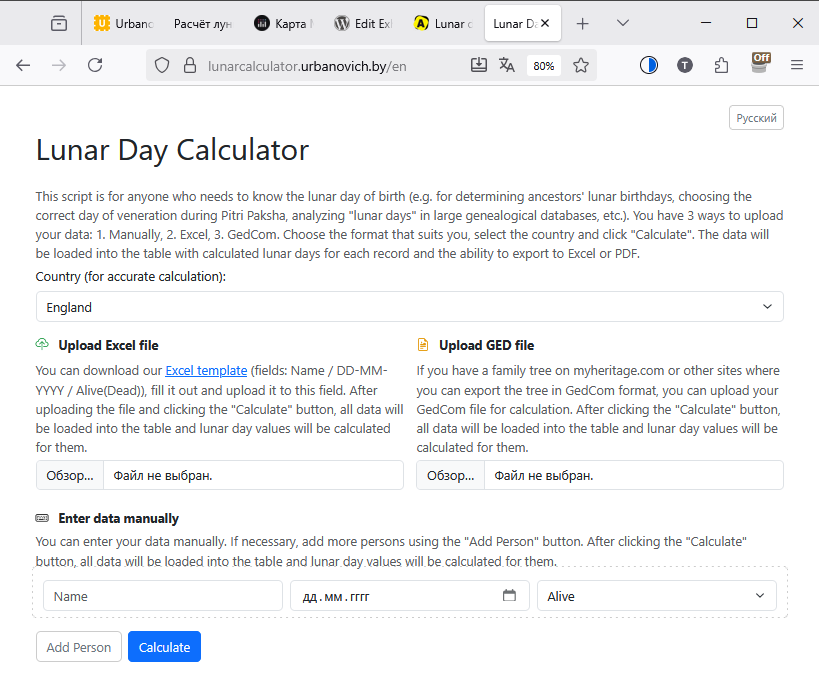
What does this script do?
Accepts raw data
Uploads a pedigree file in GEDCOM format (a common format for genealogical programs). Accepts a regular Excel file with the columns “Name” and “Date of birth”. Allows you to manually enter the name and date of birth directly into the web form.
Calculates lunar birthday
For each person, determines on which day of the lunar month (1 – 30) they were born. Takes into account geographic coordinates (the user selects the country) so that the count is astronomically accurate.

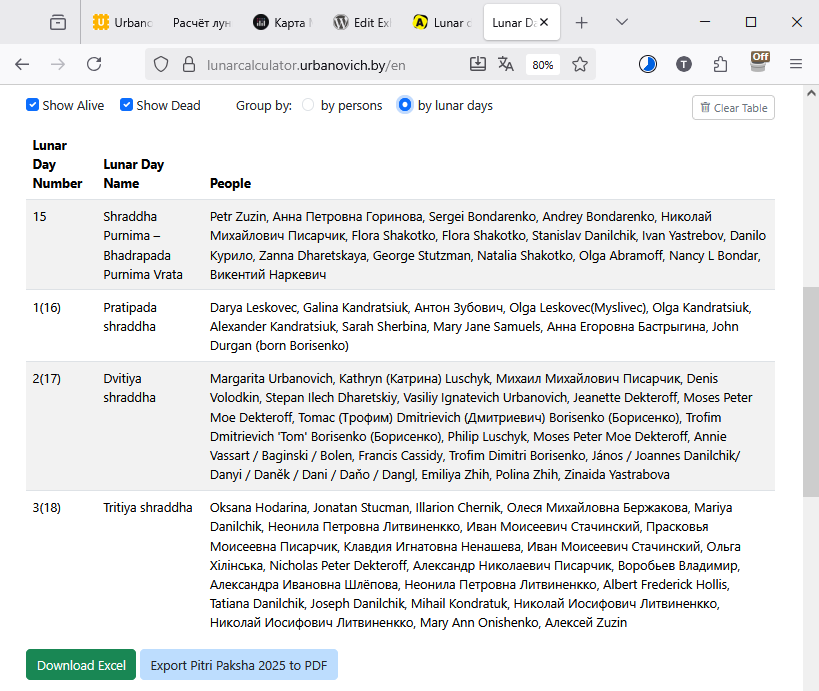
Shows and groups results
Table “by people” – a list with name, date of birth, lunar day number and “Alive / Dead” status. Table “by lunar days” – who was born on the first, second … thirtieth lunar day, indicating the Sanskrit names of these days (useful for shraddha rituals). There is sorting by any column, filtering “alive / dead”, editing of any entry directly in the browser.
Five reasons why this is very convenient